Paperless bills on WhatsApp
One tap sends shop name, total, payment status, and a secure link guests can reopen anytime.
RefBite
Not just another ordering app. RefBite digitalizes your food business — paperless bills, live offers, WhatsApp sharing, staff captains, party packages, and growth tools in one place.
RefBite is built to digitalize your food business — not to replace your kitchen with a traditional “order-only” app.
Paper slips, mental maths, forgotten udhar, and WhatsApp photo-bills create confusion for guests and stress for owners. RefBite turns your shop into a modern operation: digital menu, digital orders, paperless billing, payment tracking, and marketing that runs from the same dashboard.
For you: Look professional, reduce errors, collect payment faster, and grow without hiring a tech team.
Real product screens for the tools owners use every day — from discovery and orders to billing, menus, offers and party packages.
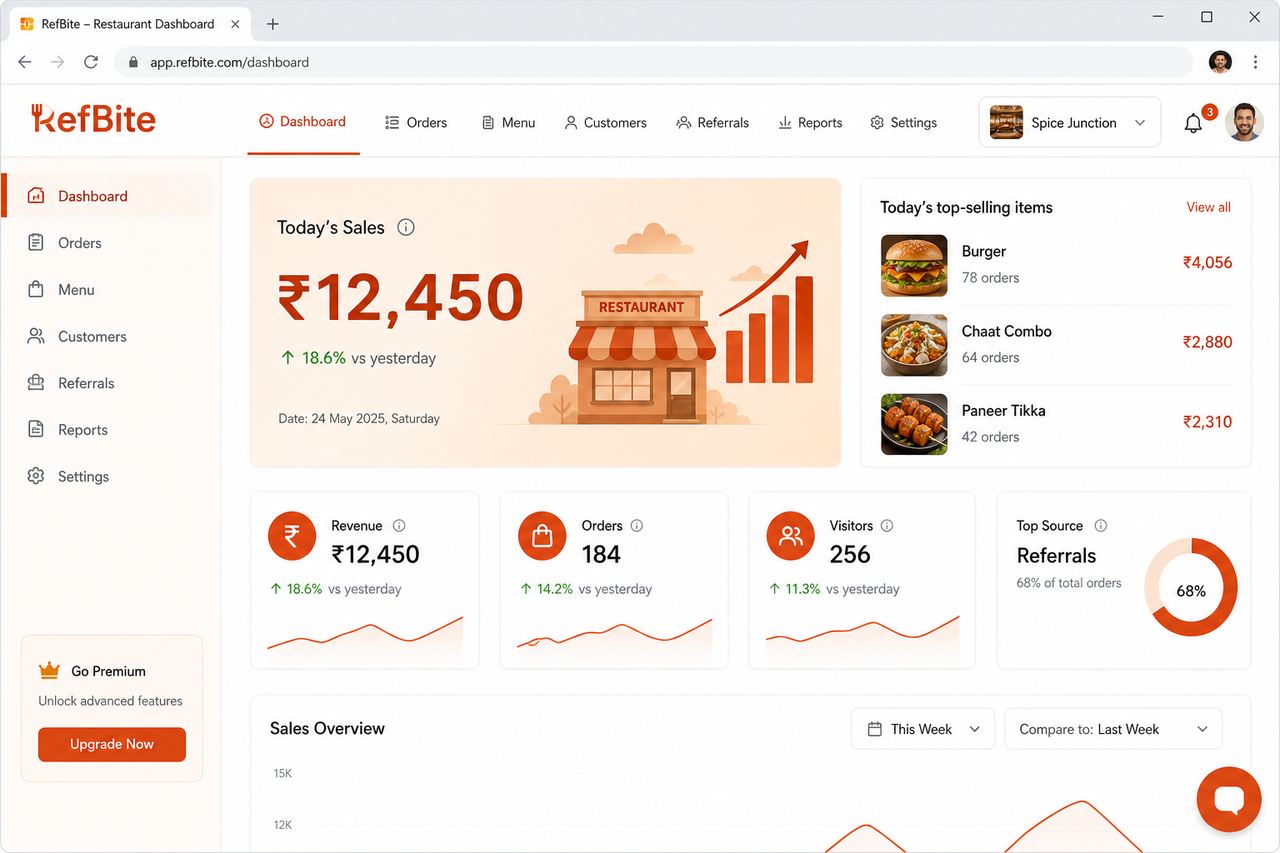
Today’s sales, KPIs, and top-selling items at a glance.
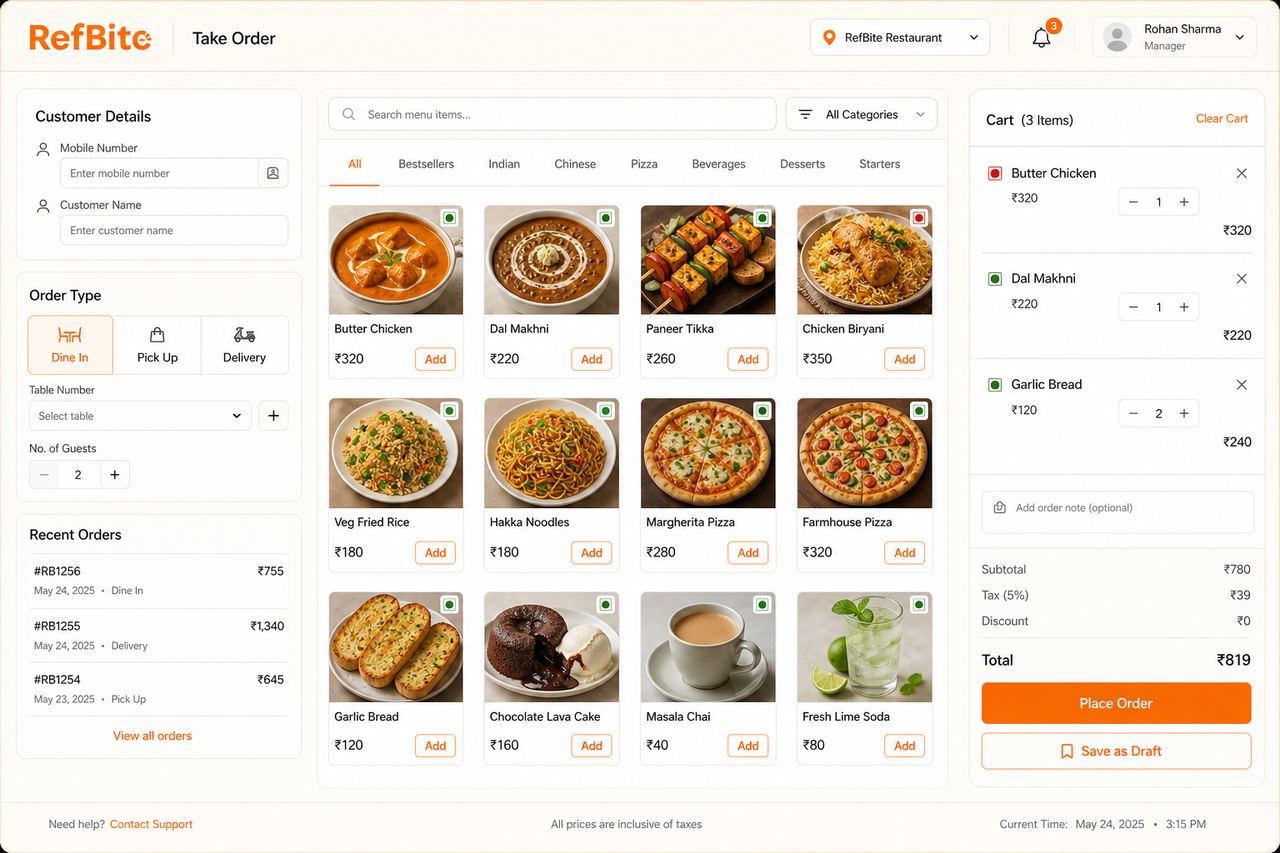
Capture dining, pickup or delivery orders with menu search and cart.
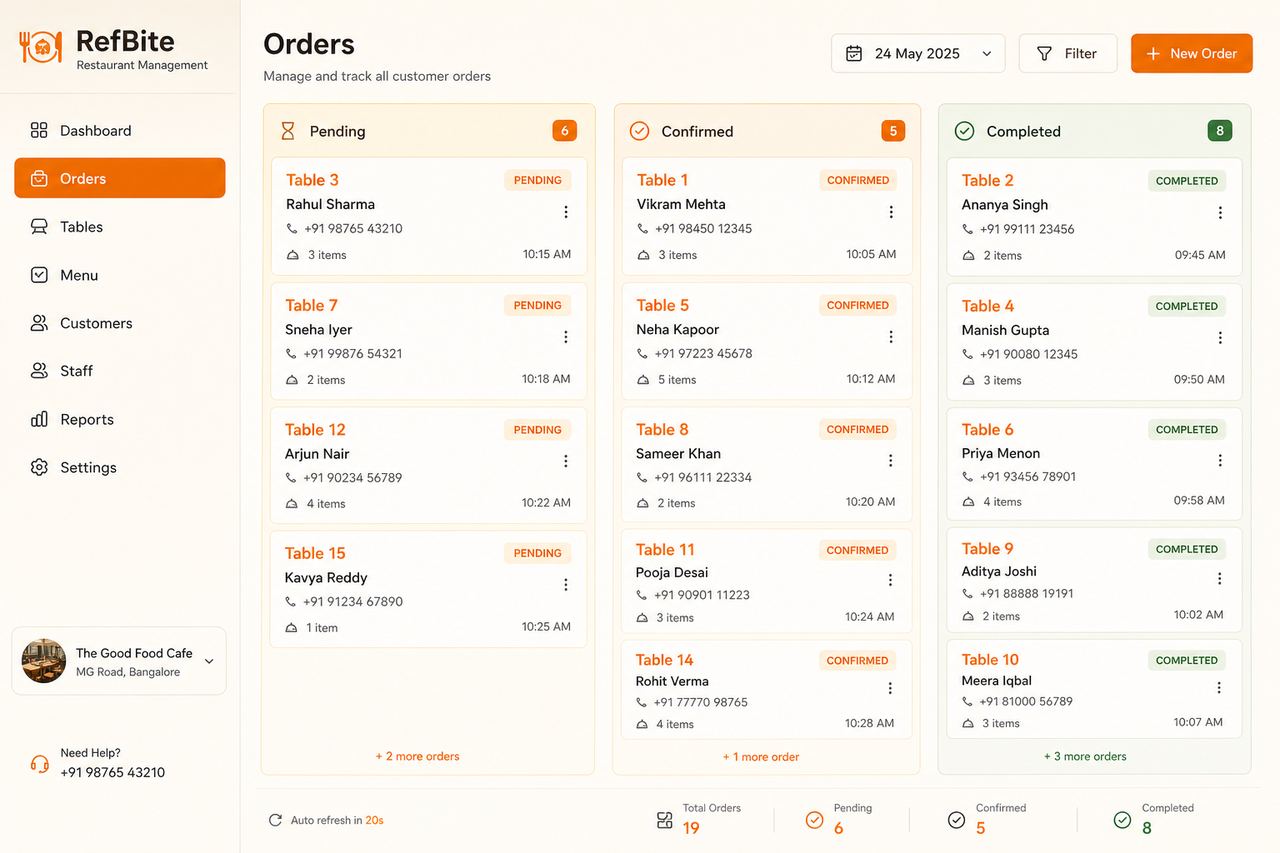
Track Pending → Confirmed → Completed so nothing slips overnight.
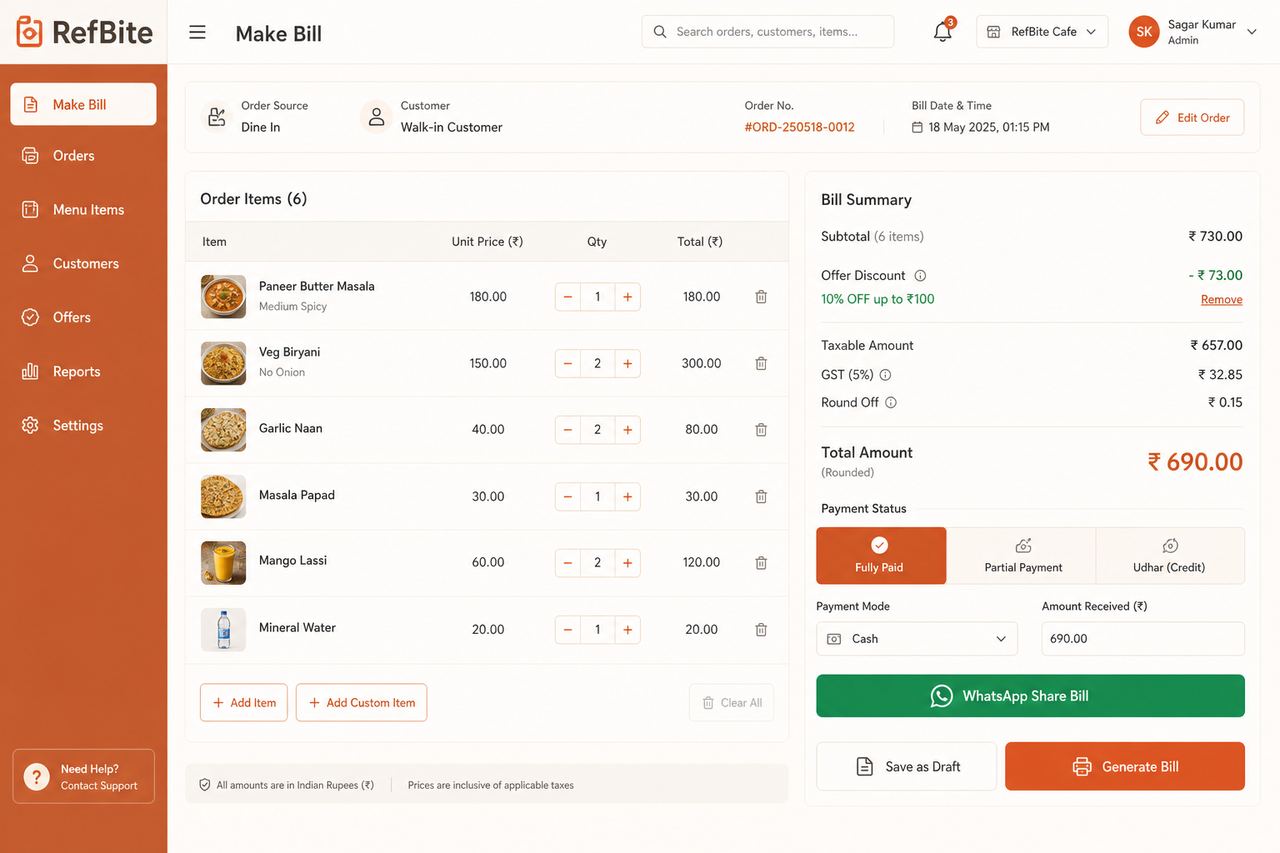
Apply offers, GST and payment status — then share the bill on WhatsApp.
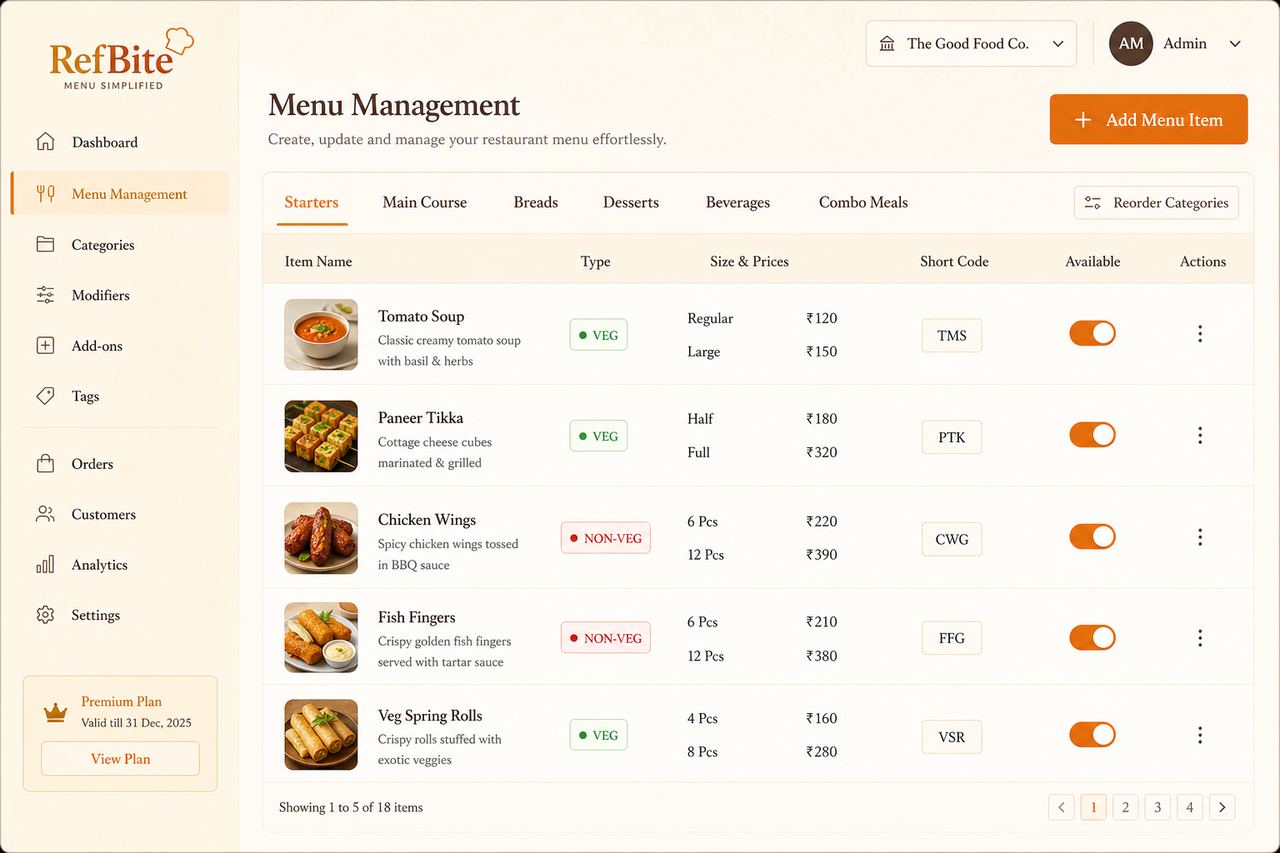
Sizes, variants, short codes and availability in one menu truth.
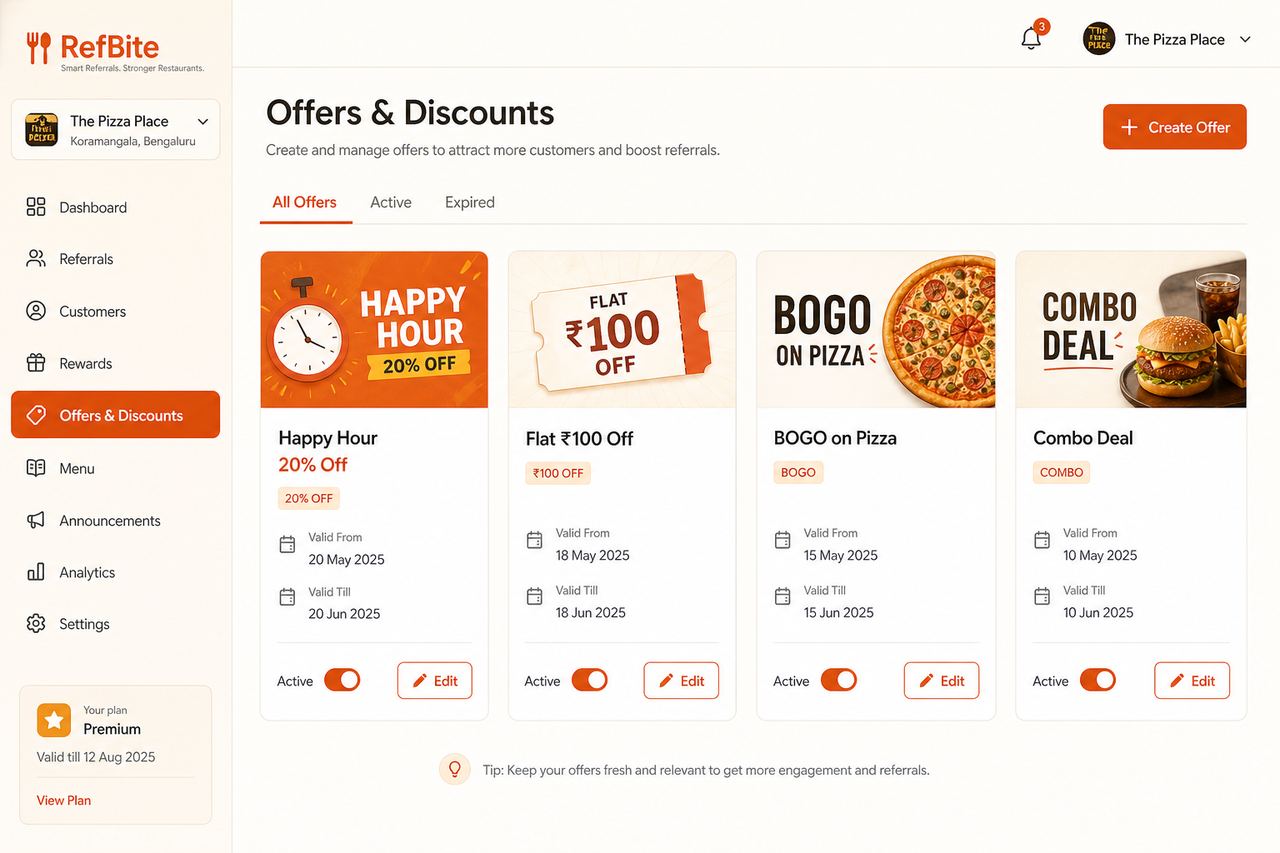
Happy hours, flat deals, BOGO and combos that sell on the floor.
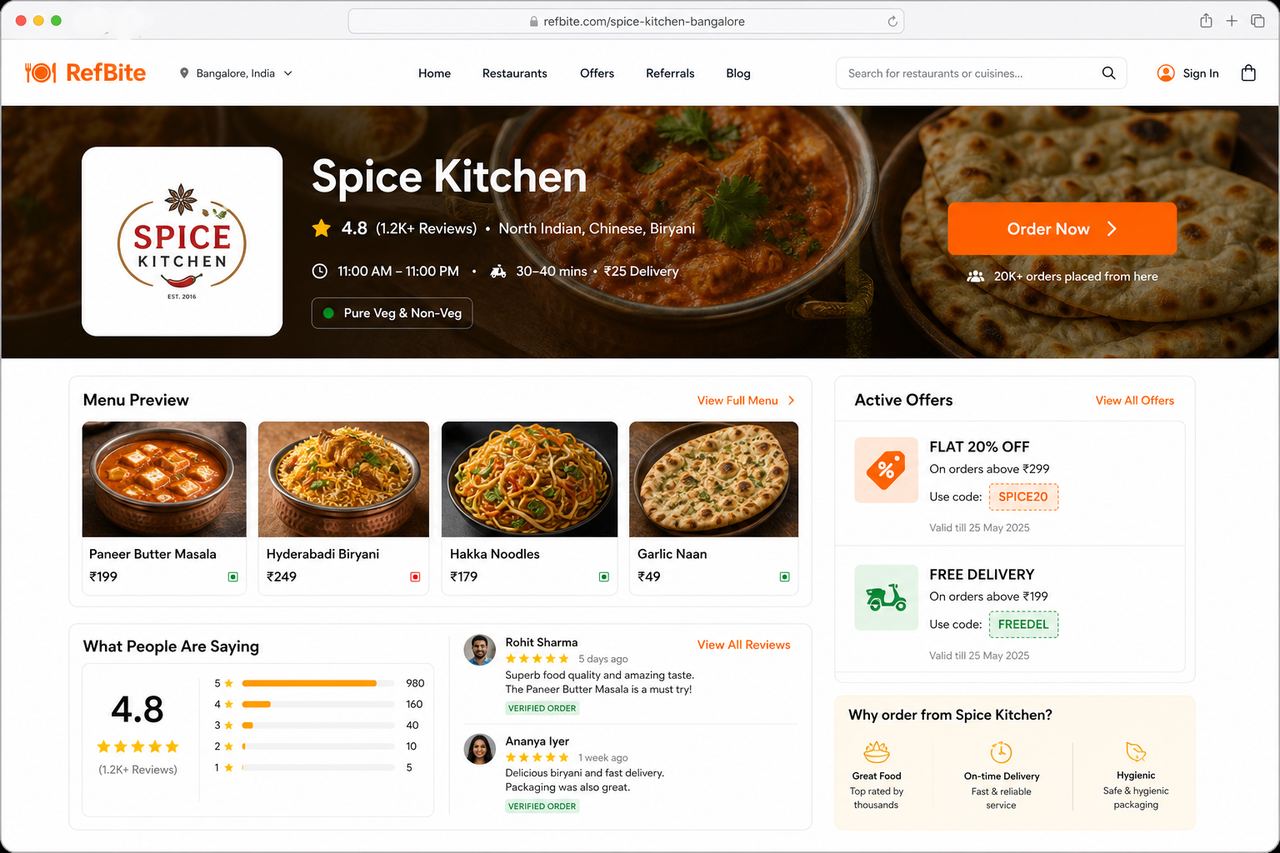
Your searchable shop page with menu, offers, ratings and Order Now.
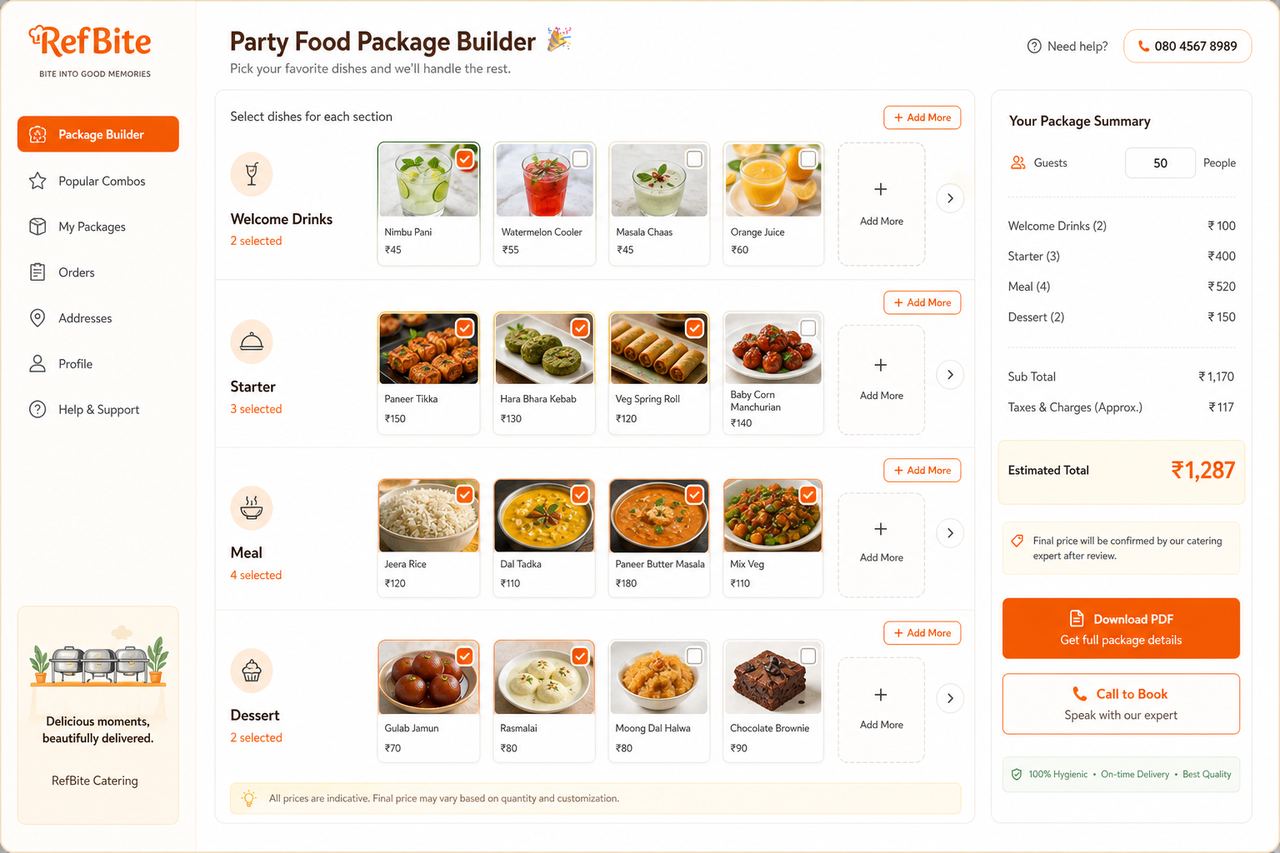
Guests build custom menus, estimate totals, and call to book.
One tap sends shop name, total, payment status, and a secure link guests can reopen anytime.
Merge table orders, apply offers & referral discounts, GST, round-off, split equally, and track paid / partial / udhar.
Pending → Confirmed → Completed stays visible across days until billed or cancelled — nothing slips overnight.
Staff take orders on their login. Optional “View All Orders” for bill & status control — owner stays in charge.
Happy hours, % / flat / BOGO / combo, item rules, referral-only deals — shown on home cards and applied on bills.
Turn menu photos and live offers into WhatsApp Status stills and short reels without a designer.
Guests build custom menus from your live dishes, estimate totals, download PDF, and call to book.
Order History shows selling, food cost, and profit — expand any bill for full money breakdown and actions.
Orders are the heartbeat of the floor. RefBite keeps them digital from the first tap to the kitchen ticket.
Owner or captain opens Take Order — dining, self-pickup, or delivery. Optional table/space. Mobile is required; name is optional.
Search menu, use short codes, pick size & variants. Confirm — the order is tagged with who placed it.
Flow: Pending → Confirmed → Completed. Cancel requests are controlled. Open unbilled orders stay on the board until billed or cancelled — even from yesterday.
Mark completed when food is done. Then open Make Bill by mobile or table number and merge everyone at that table.
Result: Smoother service, fewer fights over “what did we order?”, and a clean path into paperless billing.
Billing in RefBite is paperless by design. You create a professional bill from completed orders, then share it digitally.
On Make Bill, search by mobile or table number (with floor/space). All completed unbilled orders for that session merge — even multiple phones.
Toggle referral discount (when eligible), pick an active offer, add extra discount if needed, include previous udhar/partial pending, and apply GST when enabled.
Final amount rounds to the nearest rupee. Optionally split equally among guests (shown on bill, history, and WhatsApp).
Mark Fully Paid, Partially Paid, or Udhar. Print if you want. From Order History, tap WhatsApp to send the bill link to the customer.
Result: Faster checkout, professional image, and payment clarity that a traditional paper pad cannot match.
Offers are not just banners — they connect discovery, the public page, and the final bill.
From Offers: percentage, flat amount, BOGO, combo, or special. Set dates, happy-hour windows, minimum bill, and all-items or selected items.
Active offers appear on your public shop page and RefBite home directory cards so new guests discover the deal.
While preparing a bill, select the offer (or use the customer’s coupon). Referral-required deals unlock only for eligible referred guests.
Share via WhatsApp, download banner PNGs, or generate Status & Reels in Share Studio with the discount baked into the creative.
Result: Discounts become a growth engine — not a handwritten sticky note the waiter forgets.
Traditional apps stop at “place order.” RefBite continues through bill, payment, WhatsApp, offers, and marketing — so your business runs digitally end to end.
Share your name, phone number, and question. Your query goes to the RefBite Main Admin — we will contact you back. Helpline: 7082697271.
Tap a topic or type a question. No answer? We show the helpline.